

Description
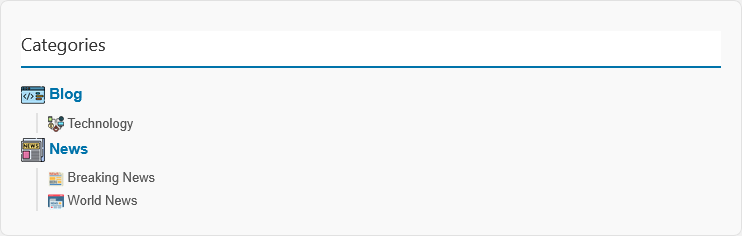
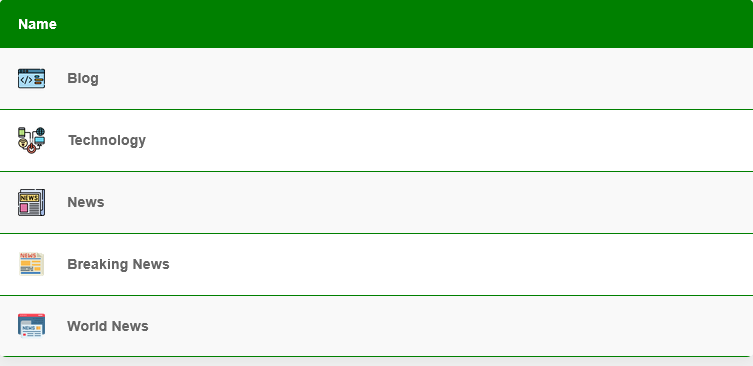
WordPress Admin allows to upload image in Categories and View Categories as Images in Post, Page Weight with shortcode.
Info
- Developer Name: Md Rakib Khan
- Organization: Ovi Computer
- Facebook: https://facebook.com/hugebd
- Script Name: Hugebd WP Category & Subcategory Images Upload Pro
- Version: v1
- Released: 2026
- Description: Admin Panel Allows uploading images to categories and subcategories..
- Codes: PHP HTML JavaScript CSS.
- Buy Link: https://hugebd.com
- Demo Link: https://hugebd.horje.com/category-and-sub-category-with-image/
Features
- Image Upload in WordPress Blog Category.
- Multiple Themes.
- Browser Friendly.
- Beautiful Admin Panel.
- Seo Friendly.
- Secured WordPress Plugin
- Many More See Demo: https://hugebd.horje.com/category-and-sub-category-with-image/
Required:
- Support: PHP 7 or 8
- Tested on WordPress 4.9.0 to 7.0.2
Installation:
- Buy this plugin from https://hugebd.com
- Go to Your WordPress Admin Panel
- Click to Plugin + Add Plugin
- Then Click to Upload Plugin.
- Now, Select hugebd-upload-image-category-pro.zip from your computer.
- Then. Click on Install Now button.
- Finally, Click on Activate Plugin button.
- Done…
Installation Manually:
- Upload hugaebd-age-calculator-tools Folder to /wp-content/plugins from your cpanel.
- Then, Go to Admin Panel yourdomain.com/wp-admin/plugins.php plugin list then find Hugebd WP Category & Subcategory Images Upload Pro and Click on Activate button.
Support:
If you face any issue then contact with us. We will support you in case of buying product from us.
- Whatsapp: +8801733783770
- Facebook: https://facebook.com/hugebd
- Website: https://hugebd.com
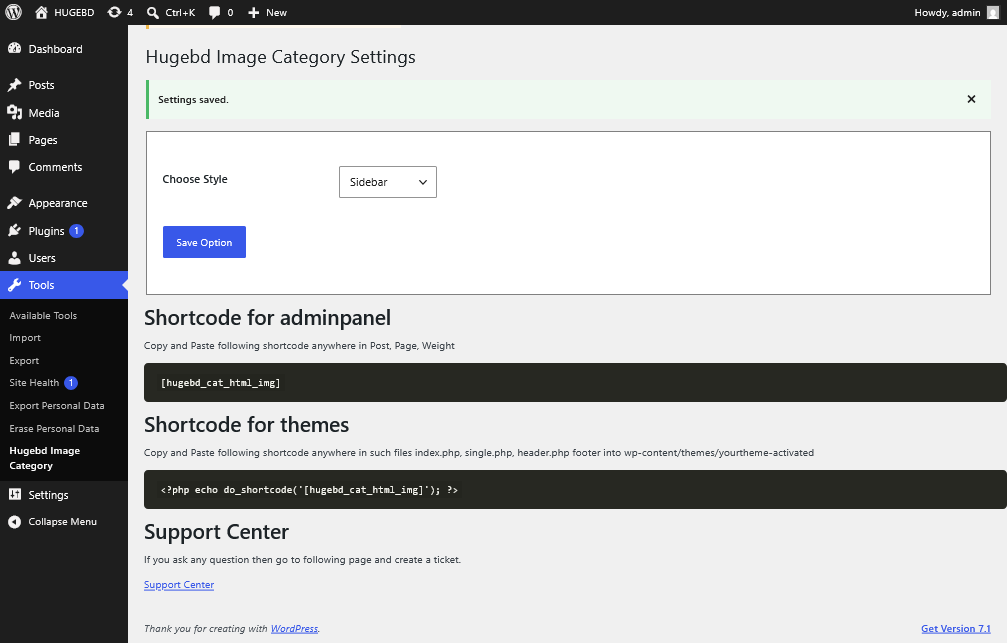
Admin Panel
Plugin Settings Page: yourdomain.com /wp-admin/tools.php?page=hugebd-image-category-settings
Shortcode for adminpanel
Copy and Paste following shortcode anywhere in Post, Page, Weight
[hugebd_cat_html_img]
Shortcode for themes
Copy and Paste following shortcode anywhere in such files index.php, single.php, header.php footer into wp-content/themes/yourtheme-activated
<?php echo do_shortcode('[hugebd_cat_html_img]'); ?>
Support Center
If you ask any question then go to following page and create a ticket.